
Security Operations · 24/7
Own every signal.
Stop every threat.
Millions of raw logs in. Correlated, triaged and contained incidents out. Combining experienced security analysts with AI-assisted operations to turn security signals into action.
- 24/7 Monitoring
- Singapore SOC
- Human-led
- AI-assisted
01 Ingest
Logs from your platforms
02 Correlate
Analysts, assisted by AI
03 Respond
Incidents followed through
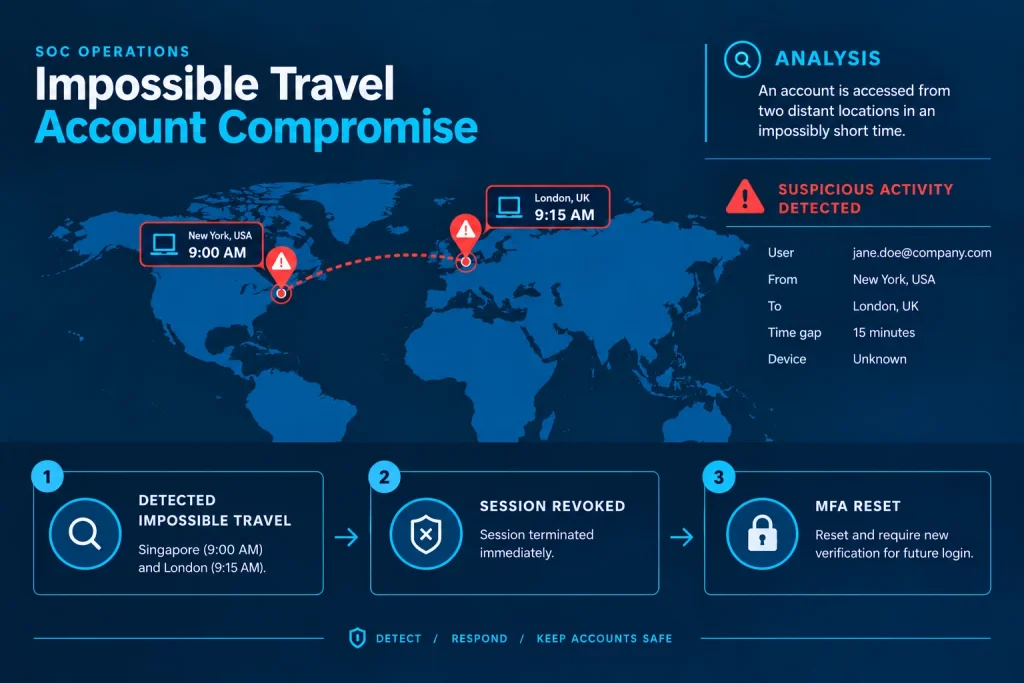
Critical
Impossible travel · jane.doe
Contained
IDP | sign-in jane.doe · London, UK · 15 min after New York
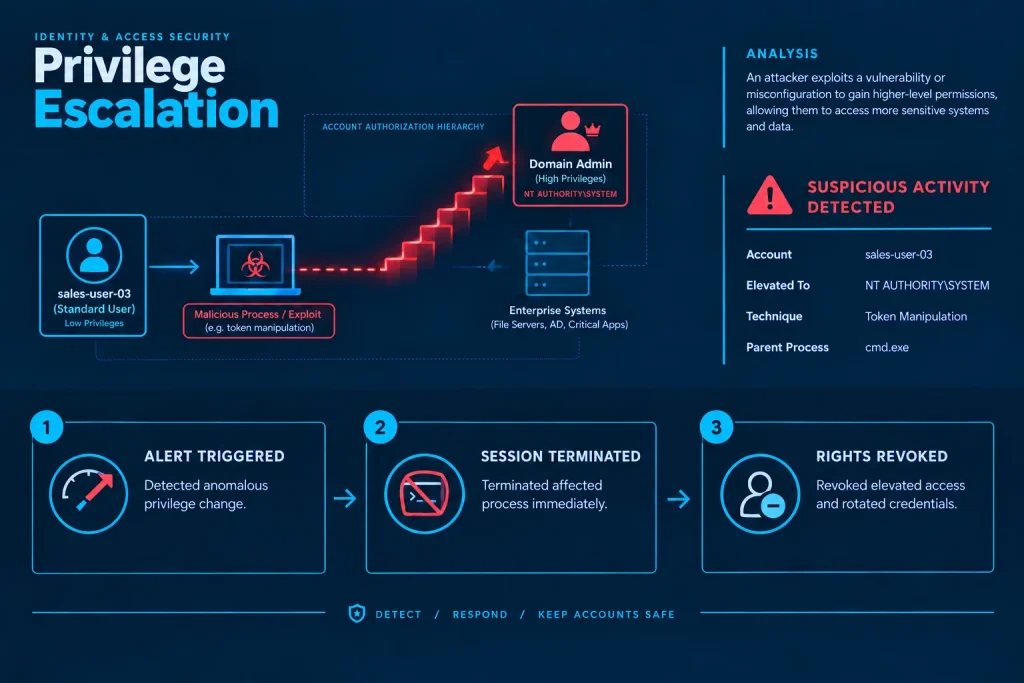
Critical
Privilege escalation · sales-user-03
Rights revoked
EDR | token manipulation → NT AUTHORITY\SYSTEM
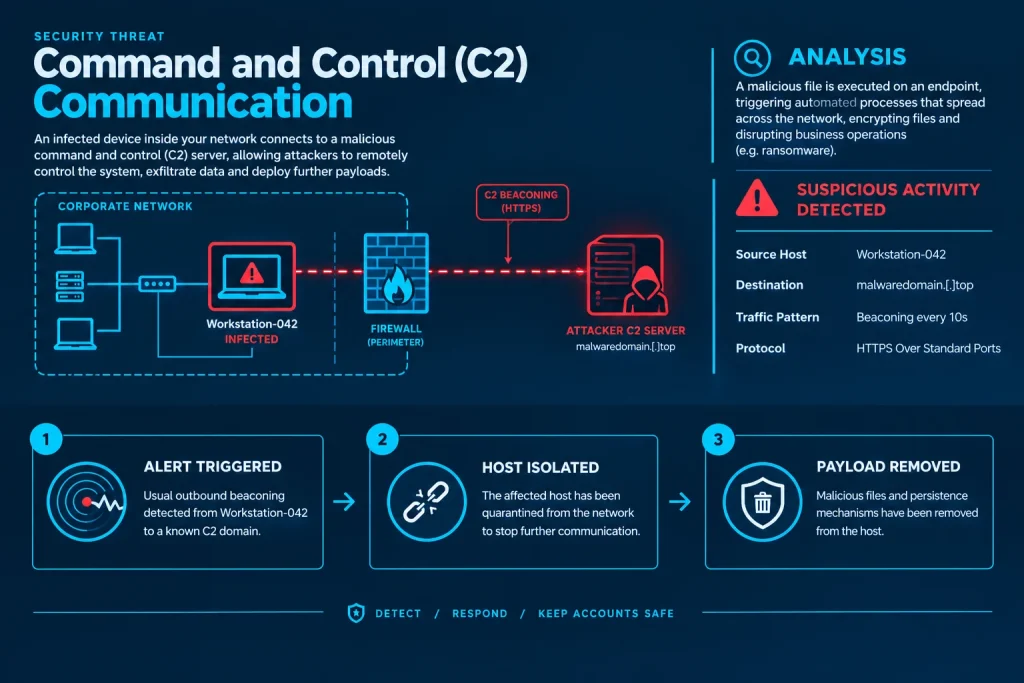
High
C2 beaconing · Workstation-042
Host isolated
DNS | beacon malwaredomain[.]top every 10s
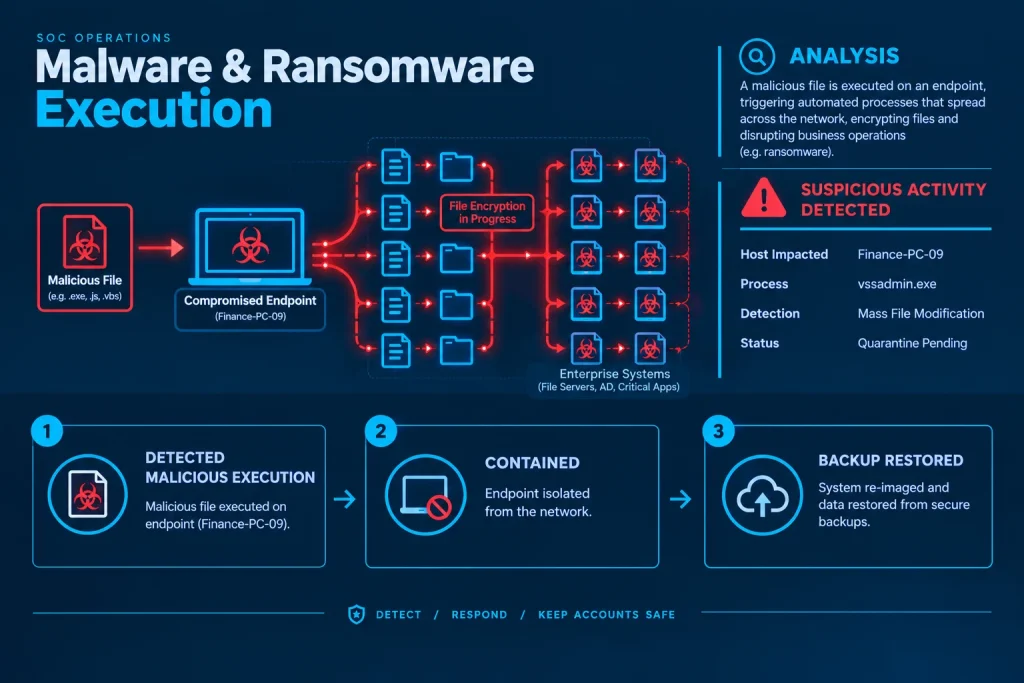
Critical
Ransomware execution · Finance-PC-09
Contained
EDR | vssadmin.exe delete shadows /all
The problem
An alert isn’t the same as a response.
Security tools are good at generating signals. Security operations determine which signals matter — and make sure somebody follows through.
- Firewall · deny 45.9.20.11 20:04
- Sign-in · new country Suspicious
- DNS · lookup cdn.office365.com 20:05
- Endpoint · process start 20:05
01 · Signal
Detected
A security control flags suspicious activity.
- Evidence
- Affected assets
- User context
- Potential impact
02 · Analyst
Investigated
An analyst validates the evidence, affected assets and potential impact.
Case · INS-0002816
Open
- Escalated
- Contained
- Communicated
- Closed
Supporting evidence attached
03 · Outcome
Acted on
The case is escalated, contained, communicated or closed with supporting evidence.
Detection is where security operations start, not where they end.
The SOC lifecycle
One process. A person at its centre.
Every alert our security operations centre (SOC) handles moves through the same four stages — with an analyst’s decision between seeing a signal and acting on it.
↺ Lessons learned feed back into detection
Improvement is part of the process, not an afterthought. Detection improvement includes review of detection rules, alert logic, false-positive handling and operational workflows.
Human-led. AI-assisted.
Faster context.
Human judgement.
AI helps our analysts organise telemetry, enrich alerts and accelerate investigation. Analysts remain responsible for validation, severity, escalation and response decisions.
AI
AI-assisted investigation
Case INS-0002816
Alert received
Extended detection and response (XDR) · defence evasion · central log host
Enriching alert
- IOC reputation
- Asset context
- User context
- Related alerts
- MITRE ATT&CK mapping
Case summary drafted
Syslog service stopped on the central log host by an administrator session. Possible impairment of log collection.
Analyst decides
- Malicious? Not confirmed — verify change
- Severity Low · validated
- Escalate? Notify client contact
- Next step Restore logging
✓ Validated by analyst
AI assists
- Alert enrichment
- Context gathering
- Indicator of compromise (IOC) correlation
- Case summarisation
- Evidence organisation
Analyst decides
- Is this malicious?
- What is affected?
- How severe is it?
- Should it escalate?
- What happens next?
Severity can change as new evidence is found. Serious cases stay open until scope, containment, evidence and ownership are established.
Escalation
The right expertise, when it matters.
When an alert becomes complicated, the case moves up — with the evidence gathered so far — to the people equipped to handle it.
- Escalated investigations can involve L2 analysts and technical leadership.
- Threat hunting and forensic capability when the scope is unclear.
- Engineering support when a control needs to change.
- L1 Analyst Validate • Investigate Level 1
- L2 Analyst Scope • Respond • Coordinate Level 2
- Technical Lead Advanced investigation • Engineering • Response Lead
- Threat Hunting Hunts • IOC sweeps • Forensics
- Security Engineering Controls • Tuning • Fixes
Escalate
Case here
What happens during a real investigation
From alert to evidence.
Every investigation is written up to the same minimum standard. This is the actual output of an analyst investigation — not a ticketing screen.
AI
AI-assisted investigation
Case INS-0002816 · Defence evasion
- P3
- Resolved
Observations 01 Observe
XDR flagged a low-severity defence-evasion event: an administrator session on the central log host stopped the syslog service, halting log collection.
- Command:
sudo systemctl stop rsyslog - Event time: 20:06:07 (UTC)
Impact scope 02 Scope
- Affected user: administrator
- Affected endpoint: central log host (192.x.x.x), Ubuntu 22.04
- Potential visibility impact: loss of daily syslog ingestion
Analysis 03 Analyse
- Process:
/usr/bin/sudosha256 6e328709e4a1… - Parent:
/usr/bin/bashsha1 b5976bc0fc0d… - MITRE ATT&CK: TA0005 Defense Evasion · T1562.001 Impair Defenses
Recommended actions 04 Recommend
- Verify intent: check for a change ticket or maintenance window
- Restore logging: run
systemctl start rsyslogon the log host
Case record 05 Record
- 16:43 Case opened from alert, analyst assigned
- 17:19 Observations, scope and analysis added
- 17:40 Client confirmed planned maintenance
- 17:52 Logging restored · closed with evidence
Illustrative case record. Identifying details redacted.
- Observe What happened?
- Establish scope Which users, devices or systems are affected?
- Analyse What does the evidence tell us?
- Recommend / Respond What needs to happen next?
- Record Decision, evidence and actions remain traceable.
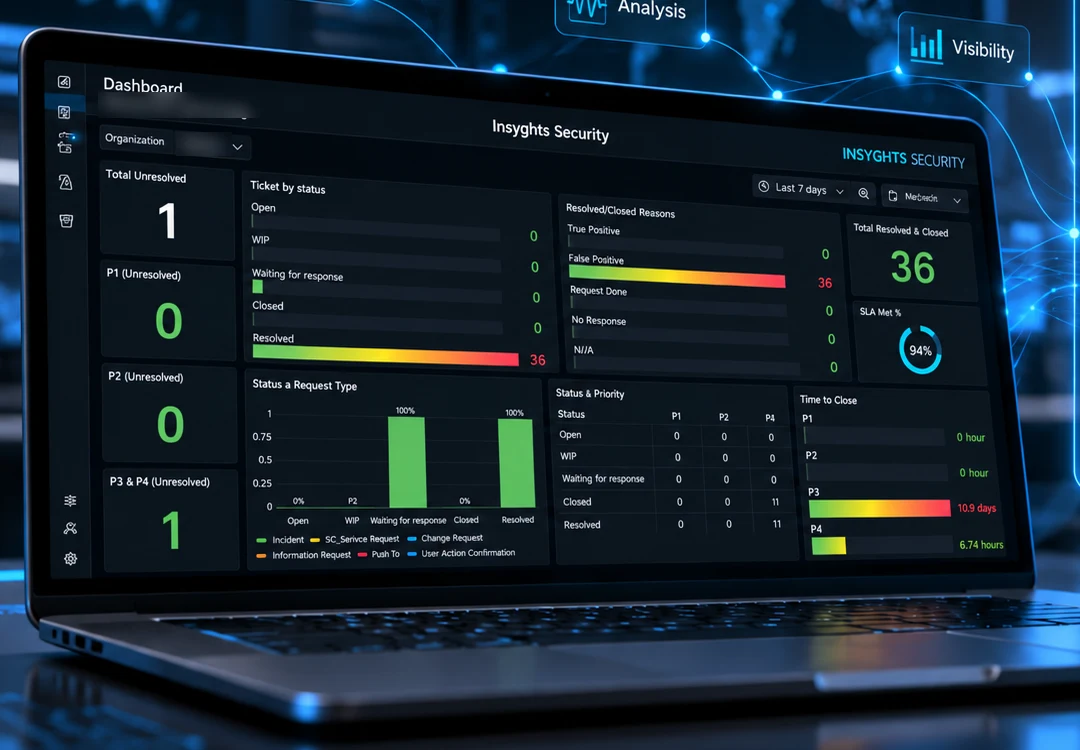
Visibility for you
You shouldn’t need to ask what’s happening.
Your security operations should be visible — not hidden behind a monthly PDF.
- 22.4 23 28.8 26
- 73.2 40.4 19 35
- 51.2 26 27.4 24.5
- 22.4 49.4 28.6 26.4
- Cases and status See what’s open, under investigation, waiting for action or resolved.
- Priority and SLA Understand which issues require attention and how service performance against the service-level agreement (SLA) is tracking.
- Investigation history Follow analyst findings, recommendations and case outcomes.
- Trend and reporting Turn operational activity into information that technical teams and management can use.
Illustrative dashboard.
Threat intelligence & hunting
Don’t wait for an alert.
Our security operations extend beyond reactive monitoring. Threat intelligence and targeted hunting help identify indicators and activity that automated detections may not surface on their own.
- IOC sweeping
- Enrichment
- Reputation analysis
- Threat advisories
- Cross-environment searches
- On-demand hunts
- Threat intelligence New advisory received
- IOC
- Search / Sweep Across your environment
- Match found?
- Recorded Sweep logged, watch continues
- Investigate
- Respond
- malwaredomain[.]top
- 185.220.101.4
- sha256 6e328709e4a1…
- Endpoint
- Network
- Cloud
- Identity
- NO
- YES
Vulnerability assessment & penetration testing
Test your defences the way an attacker would.
Vulnerability assessment and penetration testing, by a CSA-licensed penetration testing provider.
CS/PTS/C-202606-571 · Penetration Testing Service
Up to 70% co-funding for eligible SMEs’ VAPT under CSA’s SG Cyber Safe Programme, subject to CSA and IMDA eligibility and approval.
- Detection
- Investigation
- Response
- Outcome
- Tuning
- Better detection
Continuous
Continuous improvement
Closing the ticket isn’t the end.
False positives, recurring incidents, investigation outcomes and analyst feedback are fed back into detection rules, playbooks and operating processes.
- False positives
- Recurring incidents
- Investigation outcomes
- Analyst feedback
- Detection rules
- Playbooks
- Operating processes
How it fits
Review. Operate. Improve.
Connected and continuous
Alerts need direction, and controls that work.
Security Operations watches around the clock. Our other services set the direction and build the controls it watches.
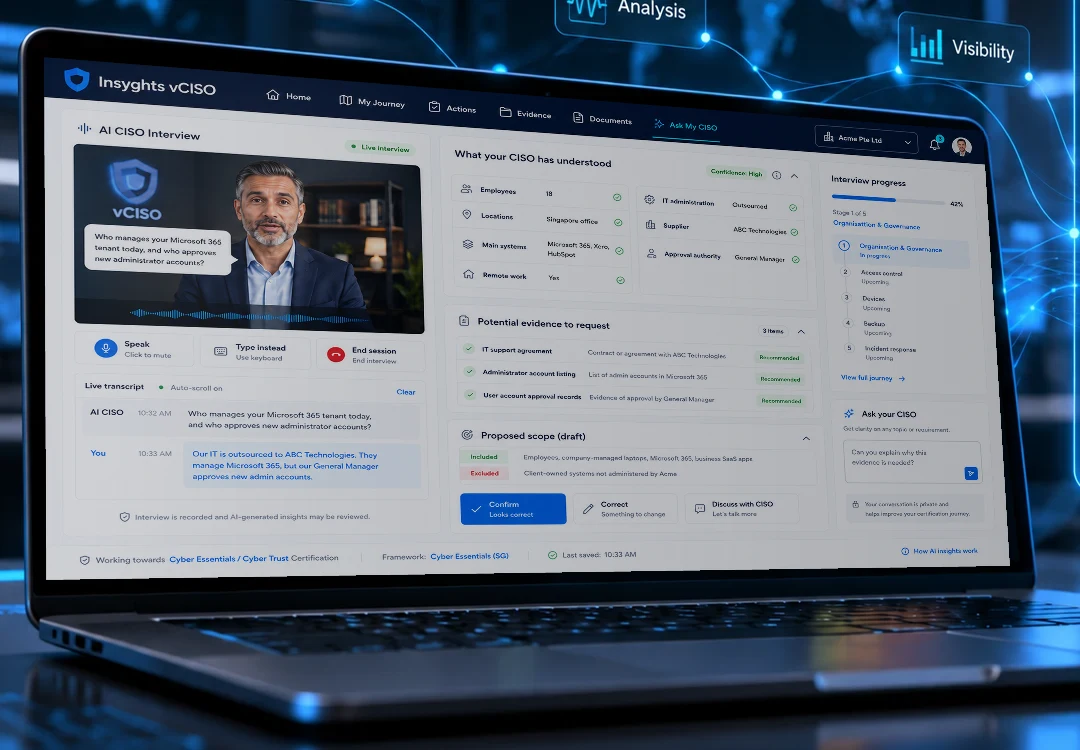
01
Governance
Turn security obligations into clear priorities, practical policies and a plan your team can maintain.

02
Security Engineering
Design, implement and run the controls that keep your environment secure as it changes.

Security doesn’t stop at detection.
See how Insyghts can extend your security team with continuous monitoring, investigation and response. Already have security information and event management (SIEM), XDR or endpoint security? We can work with the security environment you already operate.